11 results for random in tags

Clear

The Laser Cutter: Major Progress

I’ve moved past the gantry issues and finally started closing the gap to the finish line.

Once the gantry was completed, the next major milestone was the belts and the cable chains. I had to 3D print a few parts, but overall, this process was relatively seamless. The biggest pain was getting all of the cables into the chain without losing my mind.

Along with the cables was the air assist hose. Apparently, if I don’t want the place to catch fire, the hose is the right approach.

I also added an LED light strip to the underside of the gantry assembly so that I could get some extra light when watching it work.

Part 1: The Sad Reality Must be Addressed

Perhaps it’s just me, but I feel it’s time to pause, take a breath, and seek a fresh perspective. I find myself disillusioned with the constant barrage of this so-called “transparency” rhetoric and the persistent stream of deception surrounding the UFO/UAP disclosure. I don’t want to come off as pretentious, but I’m really at a loss for caring anymore.

These past few years are best described as a wild rollercoaster and I don’t think there is an adequate way of expressing the disappointment and disillusionment I (and likely many others) are left with.

Let’s begin with the recent revelation involving yet another “prominent figure” in this field announcing the release of a friend’s book, hinting at the known and unknown. This news triggered a surge of frustration within me. The thought of book, full of garbage riddles, some testimonies from Billy Bob’s family on the farm, and some knowledge quest with a giant question mark on the last page. Another author that will get rich at our expense.

Seven years ago, there was a huge breakthrough when the US Government released their statements on the Gimbal videos from the Nimitz incident. This shed some light on the topic, and they confirmed that they/we can’t identify what this is, but it’s undeniably a technology that is presumably not man made, not adversarial (to their knowledge), and potentially not of this world. With this release, they also acknowledged the authenticity of a few other videos and placed them in the same category.

Subsequently, a huge demand for transparency emerged. People wanted answers, hoping for insights that could either confirm humanity’s cosmic solitude or usher in a new era of scientific and technological advancement.

Instead, we inherited a group of people who have this knowledge, but are bound by some force to withhold it from humanity because of a fear that is fabricated on the pretense that a shadowed government agency is going to prosecute them for breaking a law. Whether such fears are warranted remains unclear, yet the notion persists that Congress will protect these individuals, allowing the truth to emerge.

Let’s confront reality for a moment…

An unnamed, illegally funded, shadow agency is behind the curtain playing all sides of the table. Yeah, okay. I’m sorry, but the idiots we have working in our government can’t keep secrets. Look at all the bullshit going on.

On the other side of this coin, what conceivable national security threat could be posed by acknowledging the existence of extraterrestrial or interdimensional intelligence? If they are stronger, better, more sophisticated, and more technically advanced than us, then it’s already too late.

As for the legalities of this. Who would dare prosecute a whistleblower for exposing a shadow government agency that is illegally withholding information and illegally spending tax dollars? It’s not rocket science, but last time I checked, this is precisely what the whistleblowers act is for. Not to mention, this informant would be revealing information that could potentially reshape our understanding of the universe and finally allow us to grow as a whole.

The truth is elusive, shrouded in layers of deception and obfuscation. Let’s face it; whatever is going on is some massive deception or lie that we may never truly understand.

As for the community; it’s absolute chaos;

In one hand, you have a group of purported “whistleblowers” confirming they all have knowledge of something great and can’t share the details. Anyone who’s worked with a clearance knows that you can’t confirm knowledge of classified information by denying it. That’s still wrong. Even worse, announcing that you have “knowledge of classified information” and attributing it to a concept of its origins, is illegal too.

Then, we get all this bullshit about how the details are grim, or categorized as some sad/dark revolution that people aren’t ready for. But this information is so good, that they continue to talk in riddles and keep this false idea of “forward momentum” for their ideas of “transparency.”

On the other hand, we have this vast community following every scrap of perceived evidence, adamantly asserts the reality of extraterrestrial presence. Everything is overly analyzed and scrutinized to an ungodly level. We are left with notion of “truth.”

The word “truth” is bandied about like a beacon of certainty amidst the uncertain. It’s thrown around like a reference to some grand concept this community actually thinks they know. Comments like:

⁃ They can’t hide the truth forever.

⁃ We deserve to know the truth.

⁃ Why can’t they just tell us the truth?

All the while, this community of great minds and great people are at each other’s throats, discrediting everything that anyone says, making up random shit, bashing each other like a bunch of uneducated, heathenish trolls. Each passing day breeds more discontent and frustration, with a deluge of debunked claims and the relentless propagation of falsehoods.

I don’t think anyone wants to hear this, but I fear we’ve been deceived.

Our hopes were high, and our emotions were played by another agenda that isn’t going to resolve anytime soon. We’ve witnessed our government’s acknowledgment of unidentified aerial phenomena, heard firsthand accounts and testimonies from witnesses, and even members of our own congress saying that they have seen, been briefed, or have knowledge of this phenomenon.

At this point, it appears we are no closer to the truth than we were before. Maybe I’m the only one to feel this way, and that’s okay. But I feel it’s time to start sharing the reality.

Part 2 will delve deeper into this perplexing narrative.
A Game-Changing Revelation: The Declassified "Eyes Only" Document on Extraterrestrial Bodies

Today, I discovered a huge revelation I wanted to share. A recently declassified “Eyes Only” document from the National Archives has shed light on a stunning discovery: the recovery and examination of four extraterrestrial bodies determined not to be from Earth. If this is an authentic document, then I’d say that this is pretty important.

This document is a FOIA request and an exchange between Mr. Graham, Mr. Stevens, and Mrs. Armstrong. It provides a rare glimpse into the government’s knowledge of the existence of extraterrestrial life. Half way through the letter exchange, I felt like the tables turned and the White House staff didn’t want to divulge too much. The information contained within this exchange is nothing short of extraordinary:

  1. The recovery of four extraterrestrial bodies.
  2. The determination that these bodies were not of Earth origin.
  3. The implications of this discovery on our understanding of the universe and our place in it.

While the authenticity of this document is still being debated, its existence within the National Archives lends credence to its potential veracity. If proven genuine, this document represents a monumental step forward in our quest for the truth about extraterrestrial life.

As we continue to explore the implications of this revelation, we must remain open-minded and committed to the pursuit of knowledge. The release of this document from the National Archives is a significant development in our understanding of the government’s involvement in the UFO/UAP phenomenon and the existence of extraterrestrial life.

Stay curious, and let’s continue our journey towards uncovering the truth!

Feel free to share this blog post on Twitter or any other platform to spread the word about this astonishing declassified document. Let’s keep the conversation going and encourage others to join us in our quest for knowledge.

Remember, the truth is out there, and together, we can find it.

Getting Things in Order

Here we go again, starting another blog from scratch. I am still getting things in order, but I should have some good content soon.

Mocha CFW on Wii U (Hacked)

Finally, after some time, hacking the Wii U is possible. When I owned the original Wii with the old hacks on it, I could back up my games and play the copies from a hard drive. Now, you can do the same thing with the Wii U. Although I typically provide a walk through, I feel like this one isn’t going anywhere for a while. Follow the guide provided below for the steps on how to install Mocha CFW on the Wii U.

https://github.com/FlimFlam69/WiiUTutorial/wiki/4:-Installing-redNAND-with-Mocha-CFW

Additionally, this next link is worth reading for the FunKiiU software.

https://github.com/llakssz/FunKiiU

Mocha CFW on Wii U (Hacked)

Custom Router Table

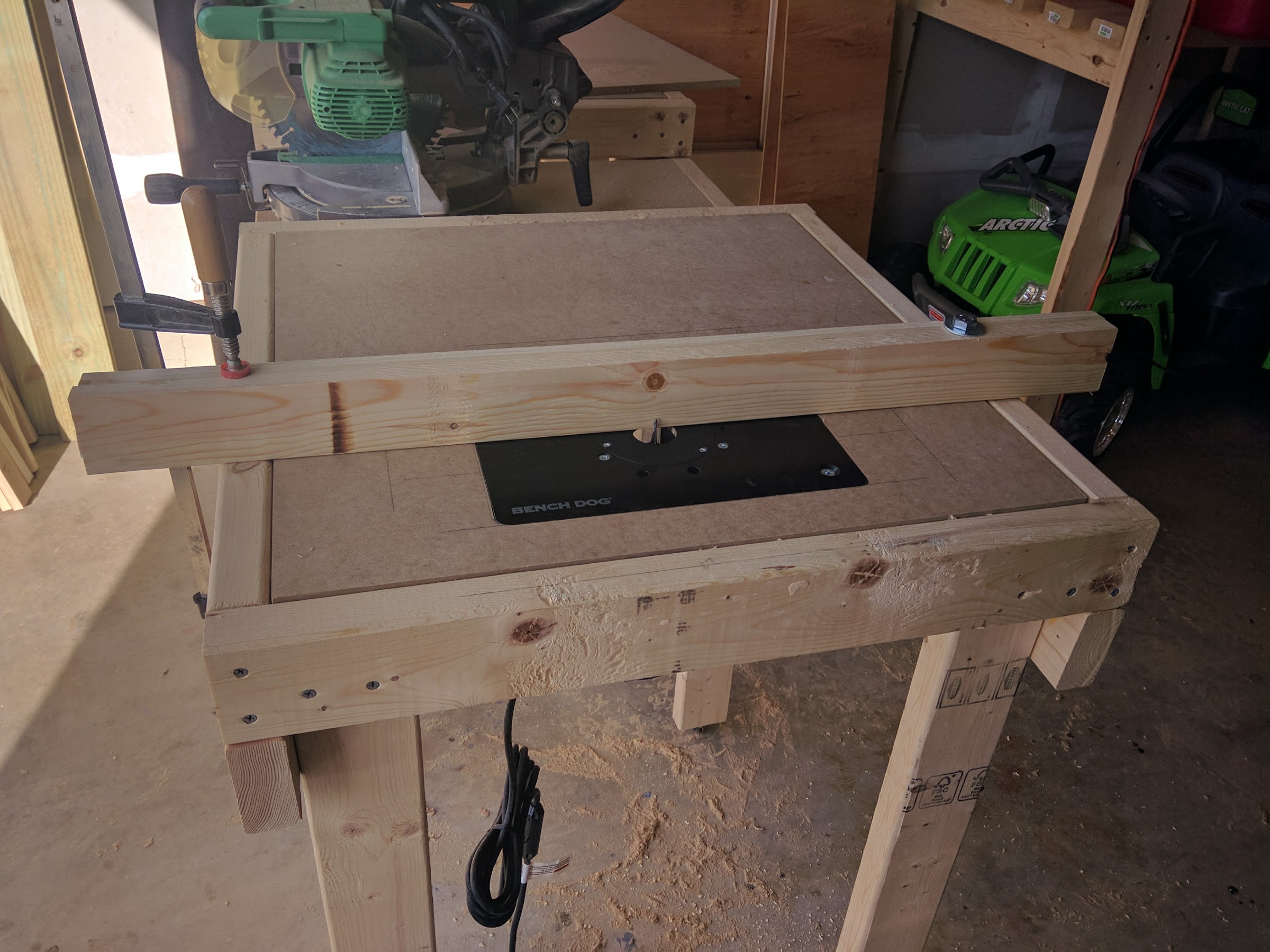
I just finished building my router table insert for my combined workbench. The process was fairly simple. I used a jigsaw to cut the insert hole, and then used a router to create an inset pocket on the top to hold the Bench Dog router plate. To make sure that it was flush, I used the plate to set the depth of the router bit before cutting it out. The fence is still on the way, and I will need to create a pocket for the router bit. I decided to go with extruded aluminum from 8020.net. I will stack two of them and bore a hole through them so that I can mount that to the table surface and pivot on the right side. This will allow me to secure it from the other side, then open and close the fence as needed for cuts.

Custom Letter 'G' on CNC

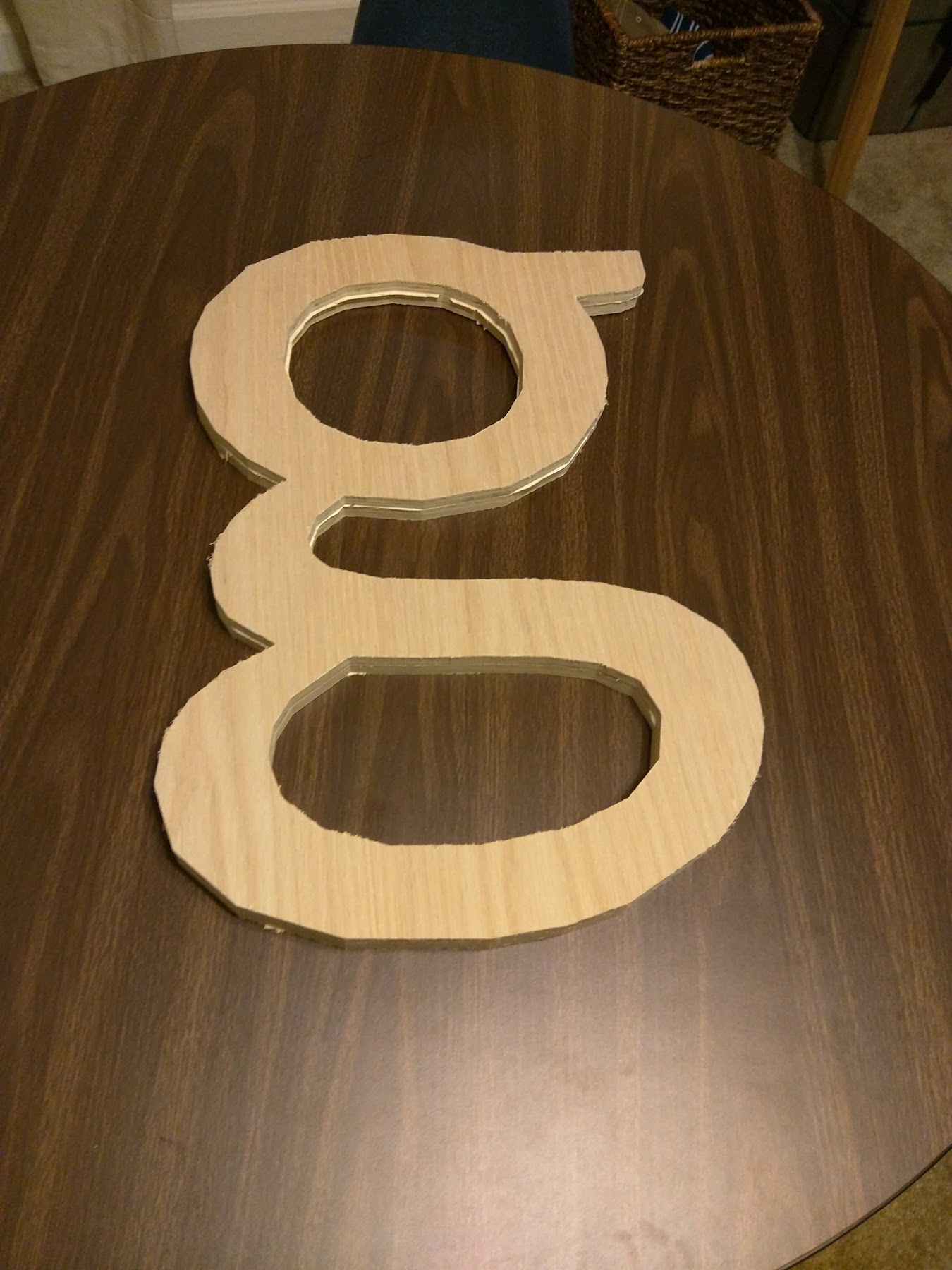
Here is another project that was cut on the CNC table. This was two pieces of plywood, glued together and cut. Once completed, the edges were smoothed, then it was painted and hung.

The final product looks better than that last image.

Enable Wireless Tethering on Android 6

After installing a custom Android OS, I noticed that the tethering option was removed from the default WiFi menu. After doing a little research, I saw that some cell providers have also disabled this feature unless you “pay” for the service. In order to enable the WiFi tethering option again, all you have to do is add this line to your build.prop file. (I just downloaded a build.prop editor and you will need to be rooted)..

net.tethering.noprovisioning=true

Save, then reboot and you will have the WiFi tethering option again.

My Stab at Google OnHub

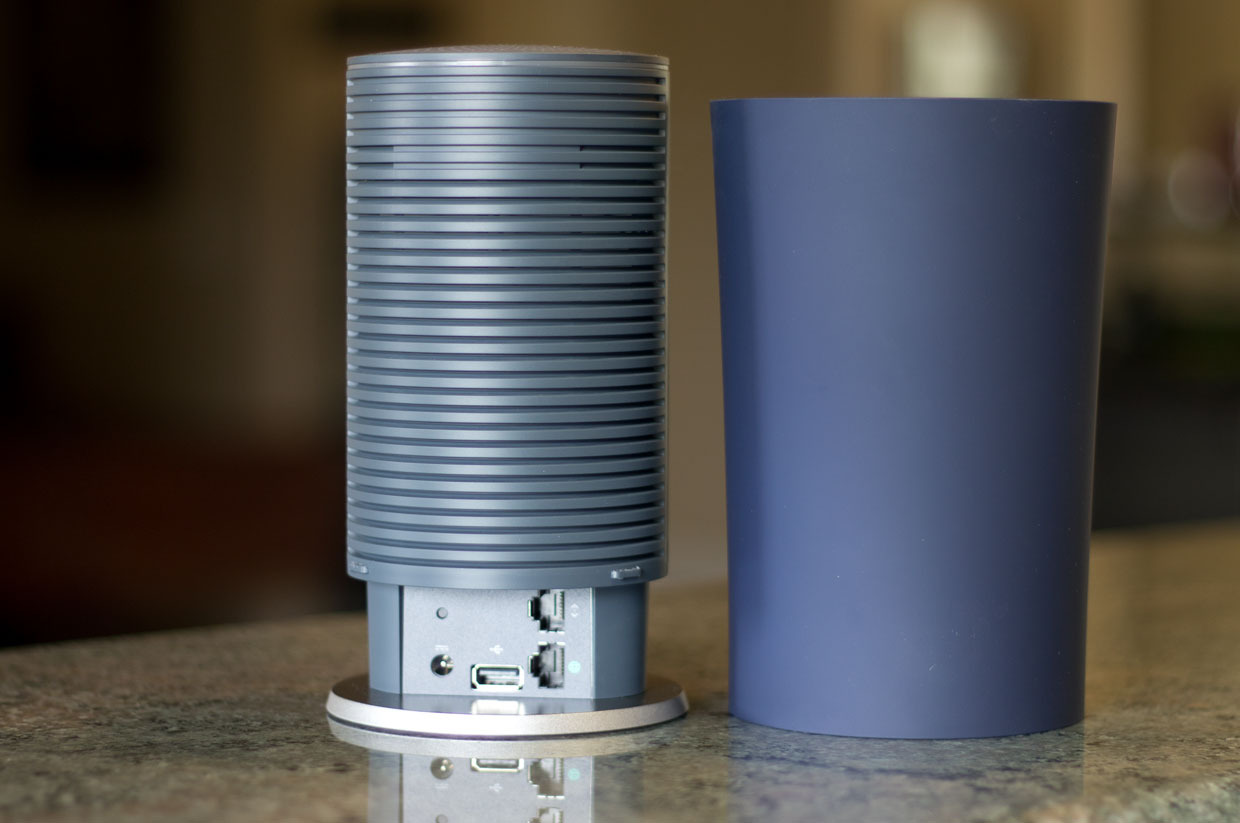
We all suffer from crappy wireless reception in our homes. These days, too many people have WiFi and the airwaves are nothing shy of a horrible RF traffic jam. After doing some research, I decided to invest in the Google OnHub router. There were only a few things that I was looking for in the configuration; port forwarding being the top of my priority list. Google advertises that their product is a top of the line router… “Better. Faster. Router.” Although I don’t argue the fact that it’s an amazing piece of hardware, there are just a few things that you would expect in a router.

For starters; the setup was stupid simple. Simply plug it in, download the app and follow the very simple instructions. After about 10 minutes of updates and a few things to fill out, you are all set. There is no website to access, no 192.168.0(or 1).1, or other complicated setup procedures. If you want to change any of the settings, you simply can’t. It was designed so that your grandma could plug it in and get it working. Everything is in the cloud. The downfall is that, if you lose internet, you lose the ability to control your router…. even if you are home.

Here is where I realized that things weren’t right. My IP address for the internal network was 192.168.86.1. ???? 86? What is that? You can’t change it. My OCD was having a hard time dealing with that. Not a deal breaker though, I just had to go change ALL of my static IP assigned devices on the network to reflect the proper IP. And then I got to the port forwarding. So, I might be a bit lost here, but; if you have the ability to port forward, that would mean that you’d probably like to access something inside of your network from the outside (like a webserver, NAS drive, security cameras, etc.) For me, it was the web server. I get all of the port forwarding setup (which is weird, because the network inherently has DHCP, and the only way to have static is to setup DHCP IP reservations). Again, not a problem, easily accomplished with finding the device name and assigning an IP reservation to it. Once that’s done, you can configure port forwarding. Here is the catch. NAT loopback isn’t supported on the OnHub device. It took me a minute to realize what they’ve done here. Google has allowed port forwarding but disabled the ability for you to access your public IP address from within your own private network. (let that sink in). One of the MOST basic features of a stupid, common and cheap router… NAT Loopback. So, in a nutshell, if you want to setup an awesome NAS drive, Plex Media server, in home security cameras, web server, or any other DDNS related hardware that would require your external IP address from within your network; you can’t. I’m sure I could try and access via a proxy server, but why? If I can’t access my own network from within my network, then that makes this awesome piece of hardware useless.

The plus side to this piece of hardware is that you can set it in bridge mode. After all of this, I disabled the wireless signals on my old Asus router and bridged the OnHub to be my wireless antenna. It’s not the best setup because I have two routers right now, but until Google fixes this, I don’t see a good future for the OnHub in my house.

Switching to Google Domains

After doing some research, I found that Google now offers a dynamic DNS service with their beta addition, ‘Domains’. The transition was fairly simple, with a few minor hangups on some of the configuration. They have a fairly simplistic configuration page, but it’s highly customizable and clean. The only downfall is; there wasn’t a lot of documentation on the setup procedure and what was provided didn’t cover a few topics that could make the process frustrating.

When reading about the DDNS setup, the guide refers to most everything within the resource (www) as the subdomain. The guide alludes to the simplistic setup by adding an ‘@’ in the sub domain block to setup the DDNS. After configuring your ddclient.conf and adding the domain name, you’ll notice that the update doesn’t work properly. Maybe it’s just me, but I don’t consider www as a sub domain (or maybe it’s all just a play on words in my own head). Anyway, to sum this part up, don’t use ‘@’; use www in the sub domain block to properly setup your DDNS configuration.

The configuration of ddclient.conf was another process all in itself. I am running my webserver on Arch Linux and maybe there hasn’t been a push for ddclient to have support for Google Domains yet. I tried using the recommended configuration for Google Domains, but that didn’t push any updates for DDNS to match my IP address. Long story short, I had to use the alternate configuration ‘without Google Domains support’ but making a slight modification to the use by adding the web for obtaining the IP address.

protocol=dyndns2
use=web, web=https://domains.google.com/checkip
server=domains.google.com
ssl=yes
login=generated_username
password=generated_password
your_resource.your_domain.tld

I had been receiving errors that I couldn’t get my IP address. Not sure if it was a local network NAT issue caused by my modem and router or if it was operator error, but regardless, the above configuration worked (sort of).

The last thing I noticed was; ddclient likes to have the password enclosed with the single quote marks. Note that all of the ddclient config examples (on their wiki and on Google Domains) don’t show these marks around the password. My recommendation is; add them! The end result of my configuration file for ddclient looked like this:

daemon=300
syslog=yes
#mail=root
#mail-failure=root
pid=/var/run/ddclient.pid
ssl=yes
use=web, web=https://domains.google.com/checkip
protocol=dyndns2
server=domains.google.com
login=PROVIDEDBYGOOGLE
password='PROVIDEDBYGOOGLE'
www.thebytes.net

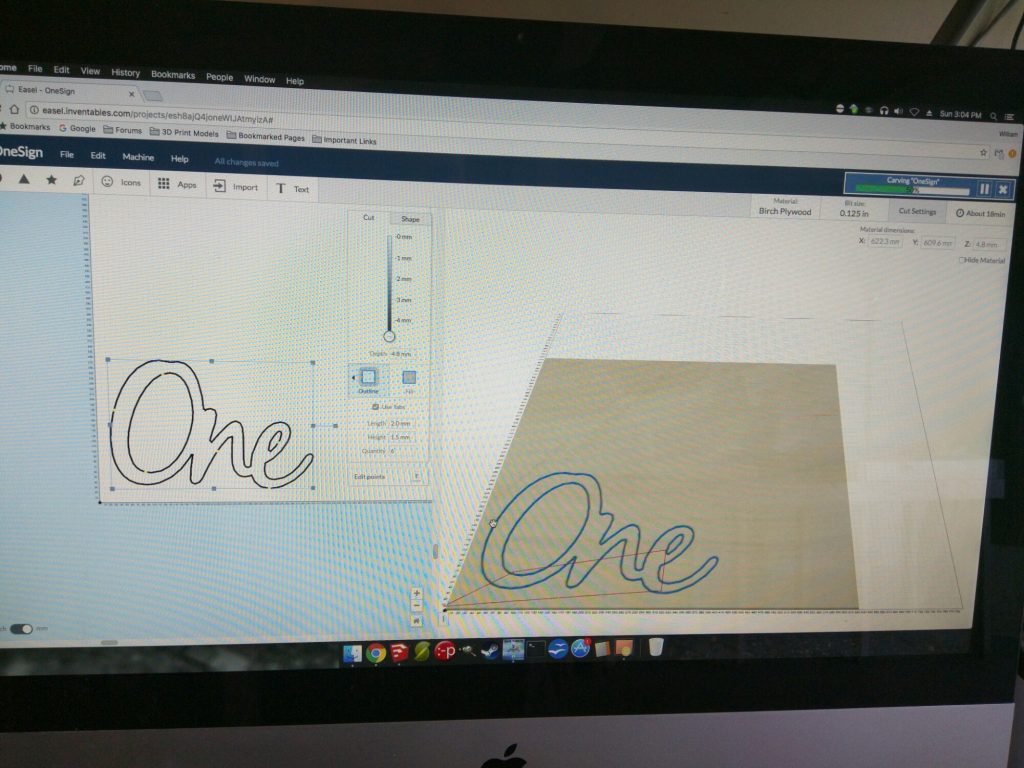
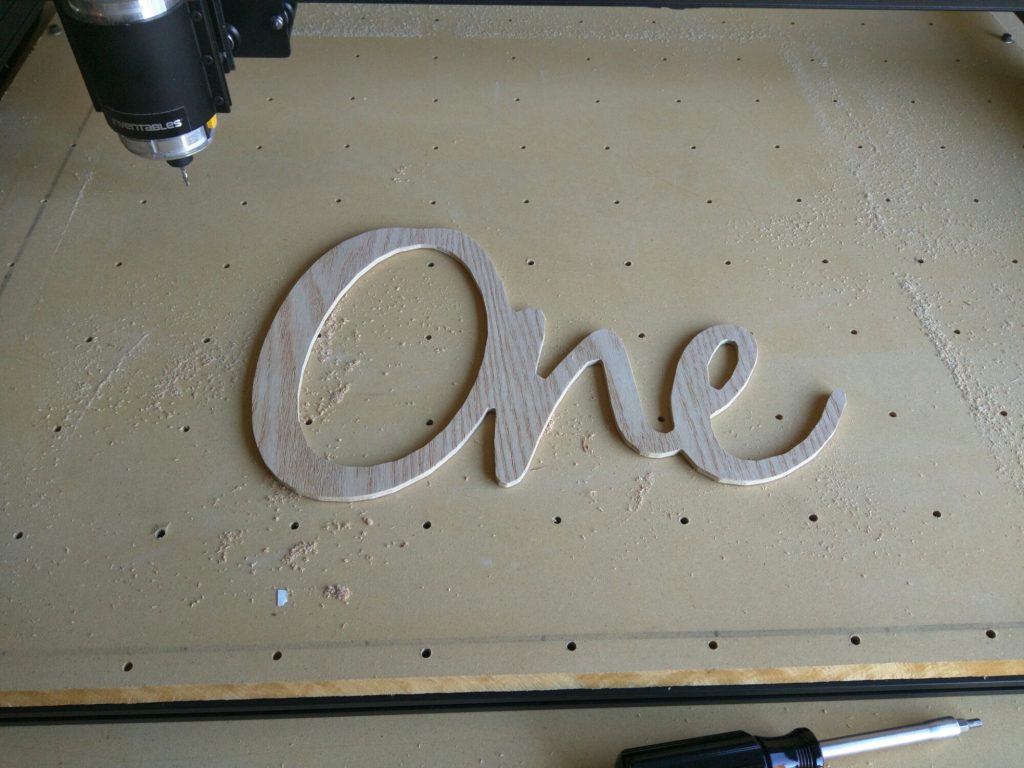
One Sign

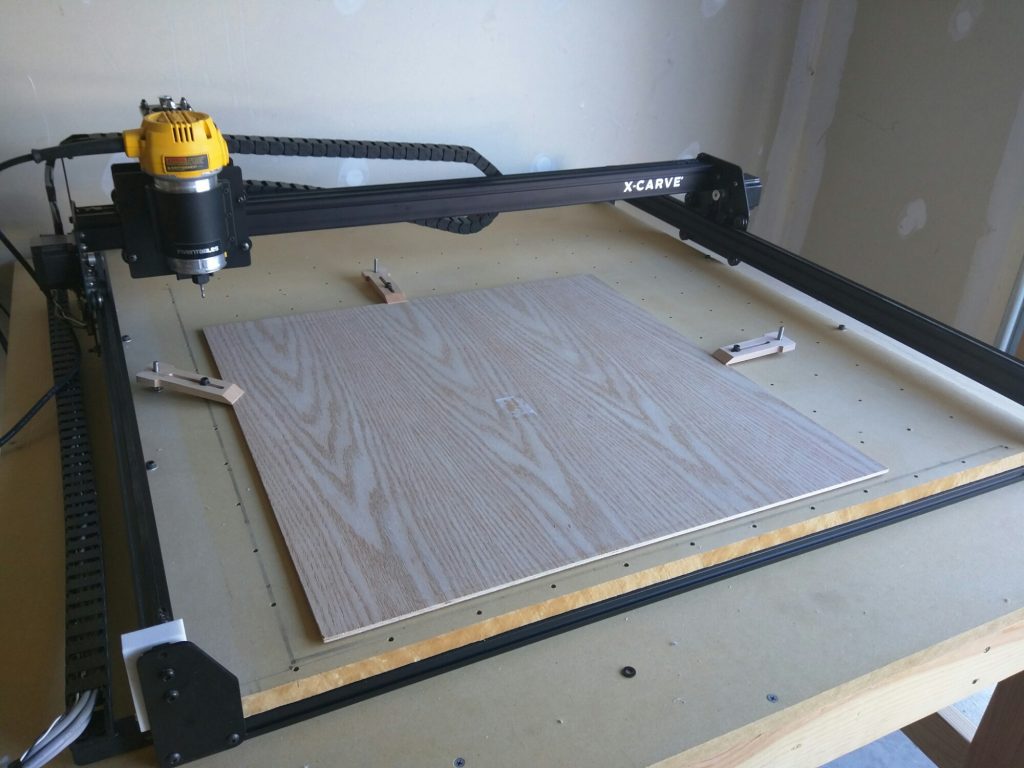
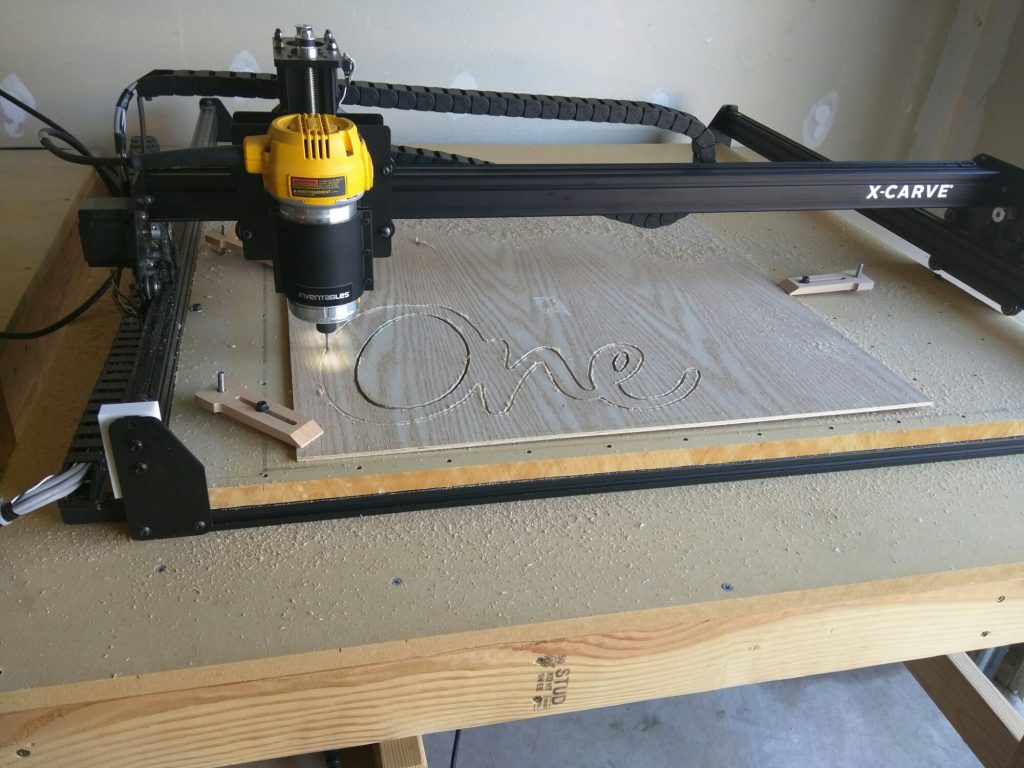
Finally knocked the dust off of the CNC table and started working again. One of my first projects was to create a simple sign for my daughter’s upcoming birthday. Here is the “One” sign result.